 Egold CBT
Use case
Automatic marking that knows when to ask a teacher
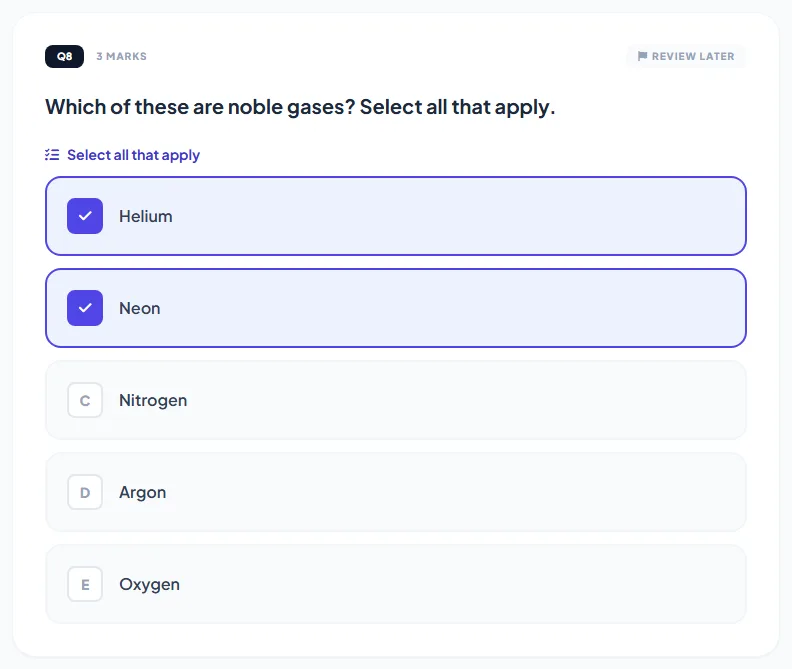
Egold CBT marks every objective question the moment a student submits, including the multi-part types: matching, ordering, several blanks and select-all-that-apply, with part marks where the student got some of it right. Written answers are never auto-scored. They go to the subject teacher, who can ask the AI for a suggested mark and feedback but always decides.
Sound familiar?
-
Hand-marking objective scripts is slow and mistakes creep in on the hundredth script.
-
A wrong answer key is only spotted when students complain, after scores are out.
-
Teachers want help with theory marking, but not a machine deciding grades on its own.
How it works
-
1
Students submit
Objective answers are scored on the server immediately. Accepted spellings ("Abuja" or "FCT") and number formats (2,500 or 2500, 0.75 or 3/4) count as correct.
-
2
Part marks are applied
A student who matches three of four pairs gets three quarters of the marks. Select-all questions subtract wrong ticks, so ticking every box never pays.
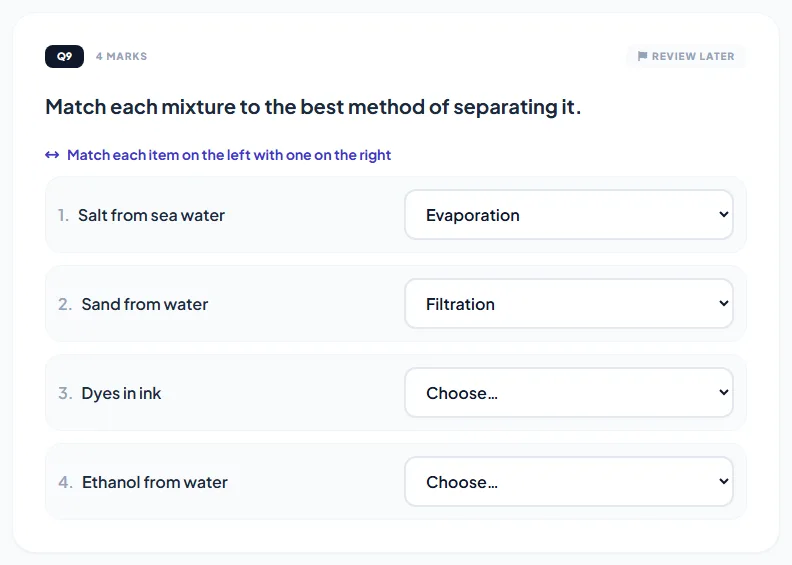
A matching question: mixtures matched to separation methods -
3
Teachers mark theory
Written answers appear one at a time in the Grading screen, with the question and the model answer. AI can suggest a mark and feedback.
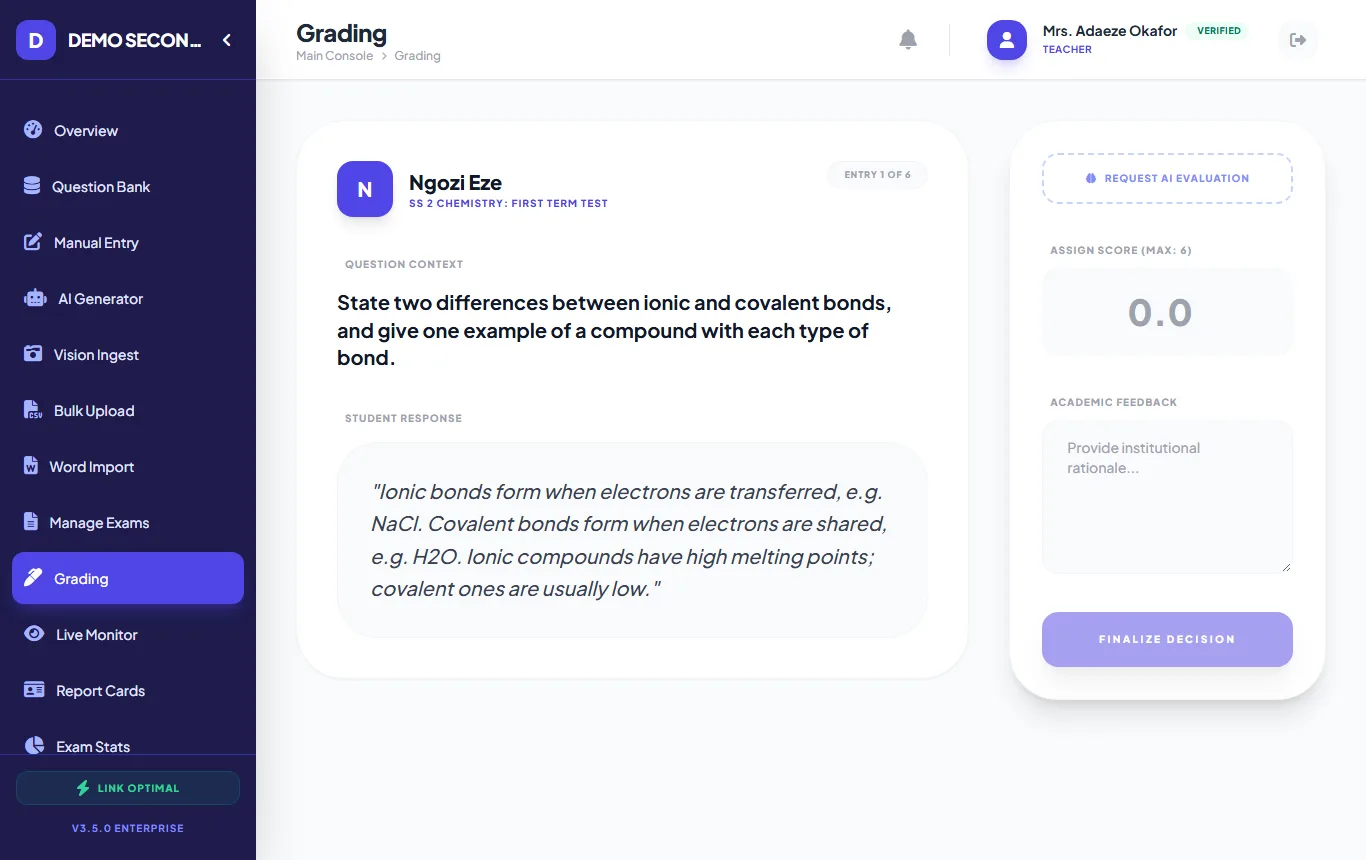
A teacher marking a theory answer about ionic and covalent bonds -
4
Check the questions
Question analysis flags questions most strong students got wrong, a common sign of a wrong key. Fix it and re-mark every script in one click.
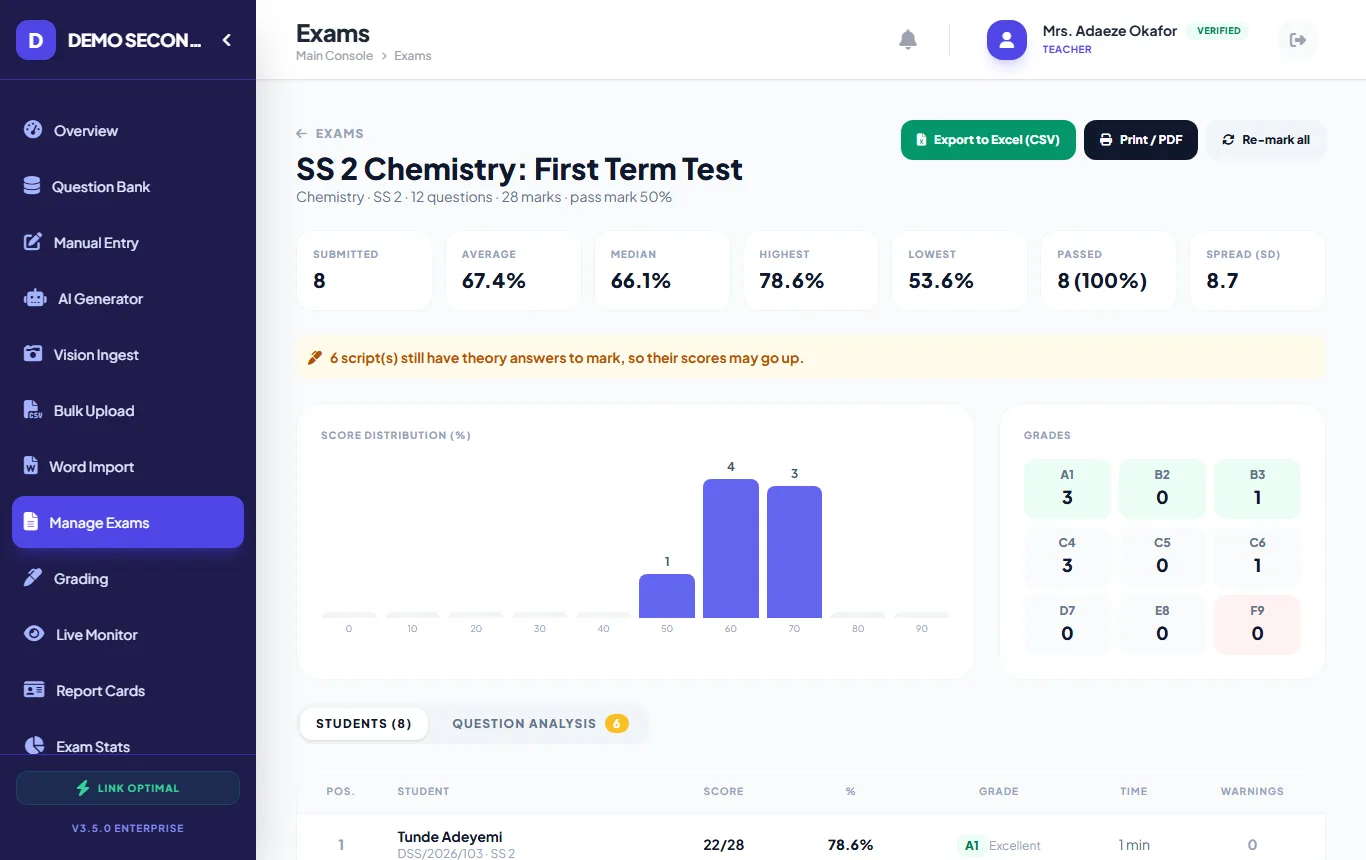
Exam results with grade counts and a question analysis tab
What helps most
- Part marks
- On by default for matching, ordering, several blanks and select-all; switch off per question.
- Accepted alternatives
- List spelling variants for fill-in-the-blank; set a tolerance for number answers.
- Teacher has the final say
- AI suggestions for theory are advisory and never saved without the teacher.
- Students are told
- When a re-mark changes a score, the student sees the updated result.
See every format on the question types page, or the full list of features.
Questions about automatic marking
Which question types are marked automatically?
Multiple choice, select all that apply, true/false, fill in the blank, several blanks, number answers, matching and put-in-order. Theory/essay answers are marked by teachers.
Can I turn off part marks?
Yes, per question. Turn off "part marks" and the student must get every part right to earn the marks.
Is the AI mark used automatically?
No. The AI only suggests a mark and feedback when the teacher asks for it. The teacher enters the final mark.
Other ways schools use it
CA tests & terminal exams
Weekly CA tests and end-of-term papers, set once and marked automatically.
Read more →
Import from Word or Excel
Turn existing Word papers and spreadsheets into a reusable question bank.
Read more →
Entrance exams
Screen applicants with a timed, shuffled test and get a ranked list the same day.
Read more →
Try it with your own questions.
Online use is free for schools. If your exam hall has no internet, run it on your own school server.