 Egold CBT
Use case
Your past questions are already typed. Import them.
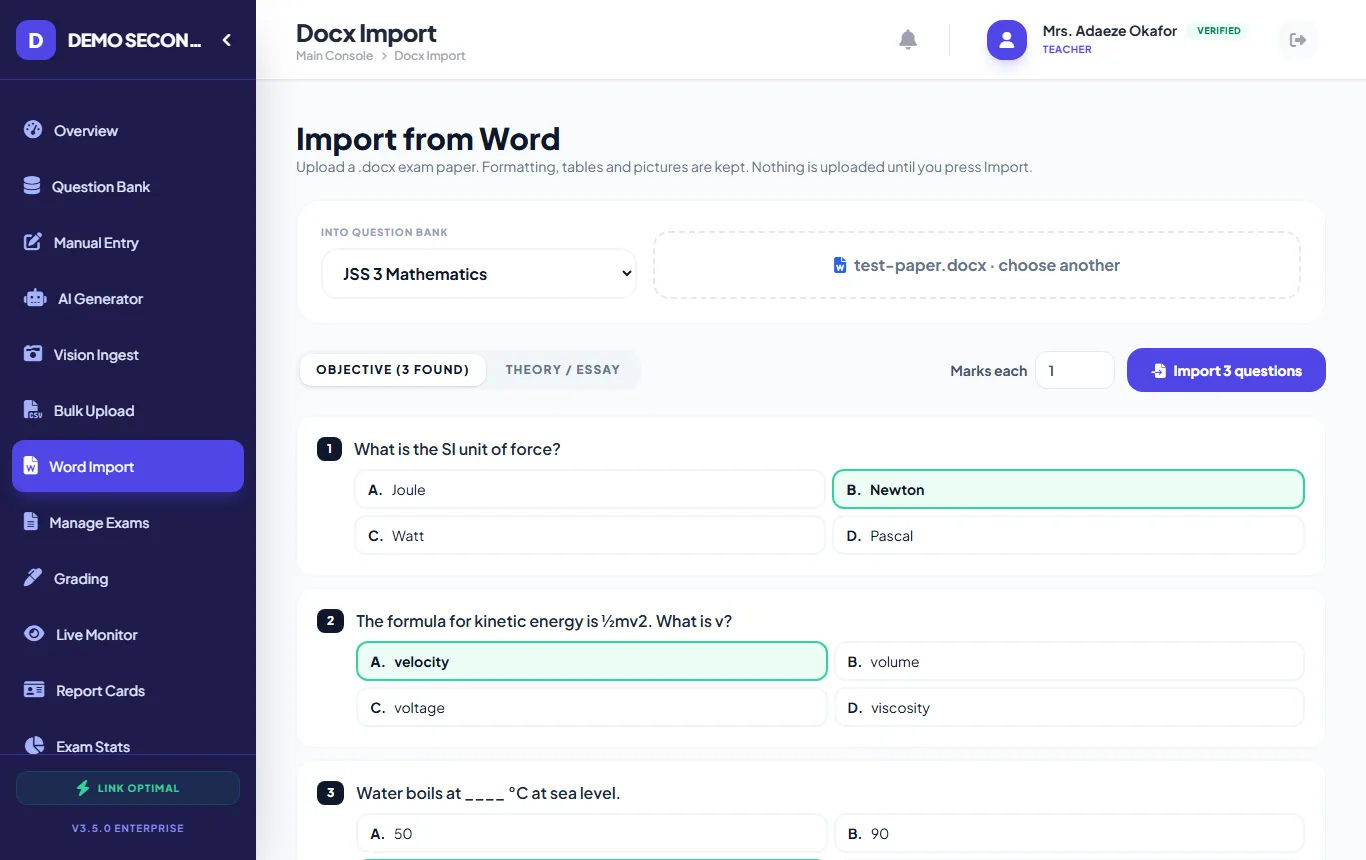
Most schools have years of exam papers saved as Word documents. Egold CBT reads a .docx paper, splits it into numbered questions with their options, picks up the answer from an "Answer: B" line or an answer key at the end, and shows you everything before anything is saved.
Sound familiar?
-
Retyping a 50-question paper into a CBT system takes longer than setting a new one.
-
Formatting is lost: tables, diagrams and formulas like H₂SO₄ or x² come out wrong.
-
A typo in the answer key is only found after students have written the exam.
How it works
-
1
Upload the .docx paper
Drop in the Word file. Numbered questions with A–D options become objective questions; theory papers are kept exactly as typed.
-
2
Check the preview
Answers found in the document are highlighted. Click to correct any, or fill in ones that were missing. "Answer: A, C" becomes a select-all-that-apply question.
-
3
Import into a bank
Choose the subject's question bank and the marks per question, then import. Edit any question later, or change its type.
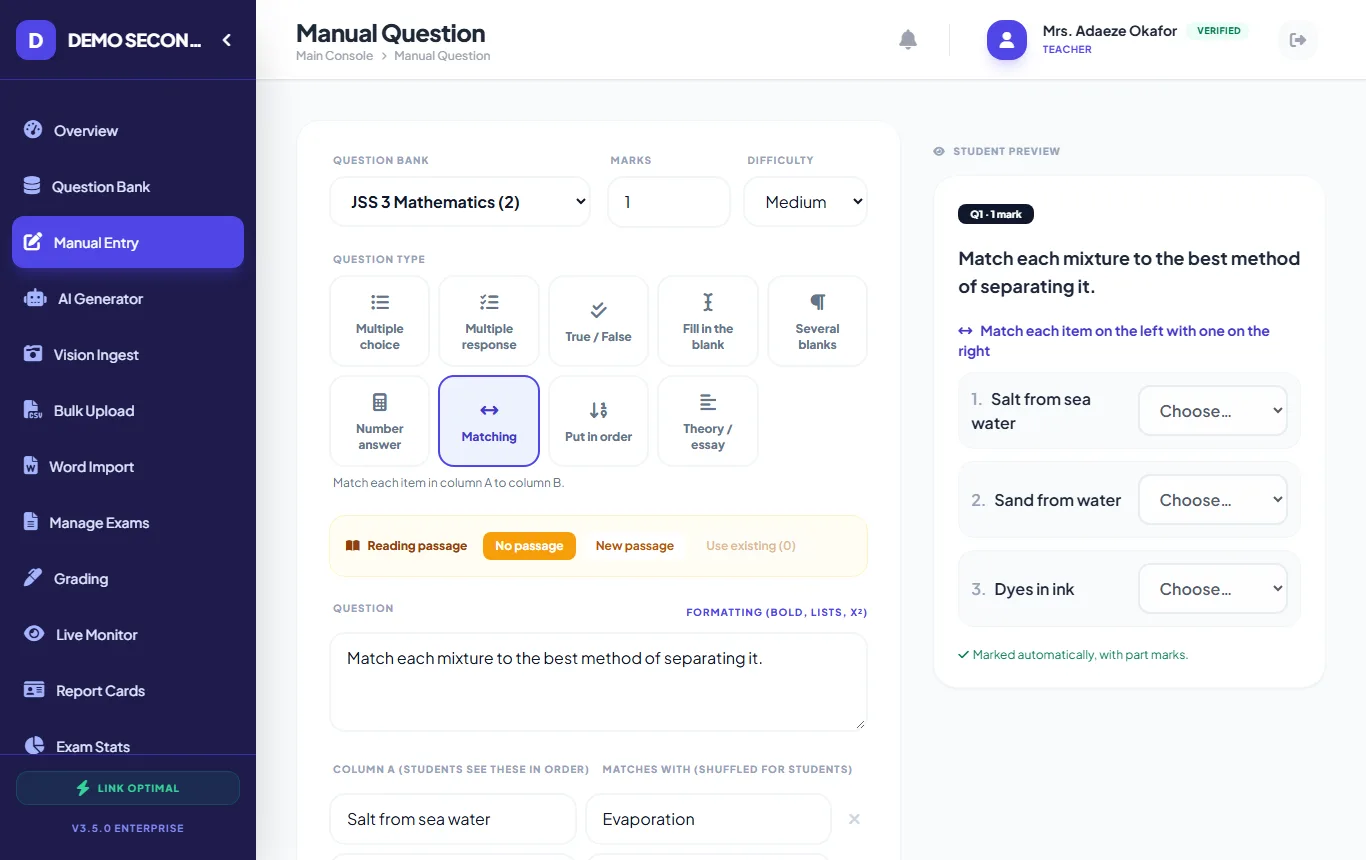
The question editor with nine question types and a student preview -
4
Or use a spreadsheet
For large banks, fill a CSV template in Excel or Google Sheets: one row per question, with columns for type, options, answer, marks and topic.
What helps most
- Tables and pictures kept
- Word tables and images come through into the question.
- Answer keys detected
- From "Answer: B" lines under each question, or an ANSWERS section at the end.
- Theory papers too
- Split a theory paper into one question per number, or keep it whole.
- Every question type in CSV
- Spreadsheet import supports all nine types, including matching and ordering.
See every format on the question types page, or the full list of features.
Questions about import from word or excel
What about old .doc files?
Open them in Word and use "Save As" → Word Document (.docx), then upload the .docx file.
Does it handle scanned papers?
A photo or scan of a paper can be read with the AI tool (Vision Ingest), which turns it into questions for you to check. Word import works on typed documents.
Is anything uploaded before I confirm?
No. The document is read in your browser and nothing is saved until you press Import.
Other ways schools use it
CA tests & terminal exams
Weekly CA tests and end-of-term papers, set once and marked automatically.
Read more →
CBT practice for SS 3
Get final-year students comfortable with timed computer-based tests before external exams.
Read more →
Automatic marking
Objective answers marked instantly, part marks where they are deserved, teachers keep the final say on theory.
Read more →
Try it with your own questions.
Online use is free for schools. If your exam hall has no internet, run it on your own school server.